11Kits User Guide: Getting Started & Demo Sandbox
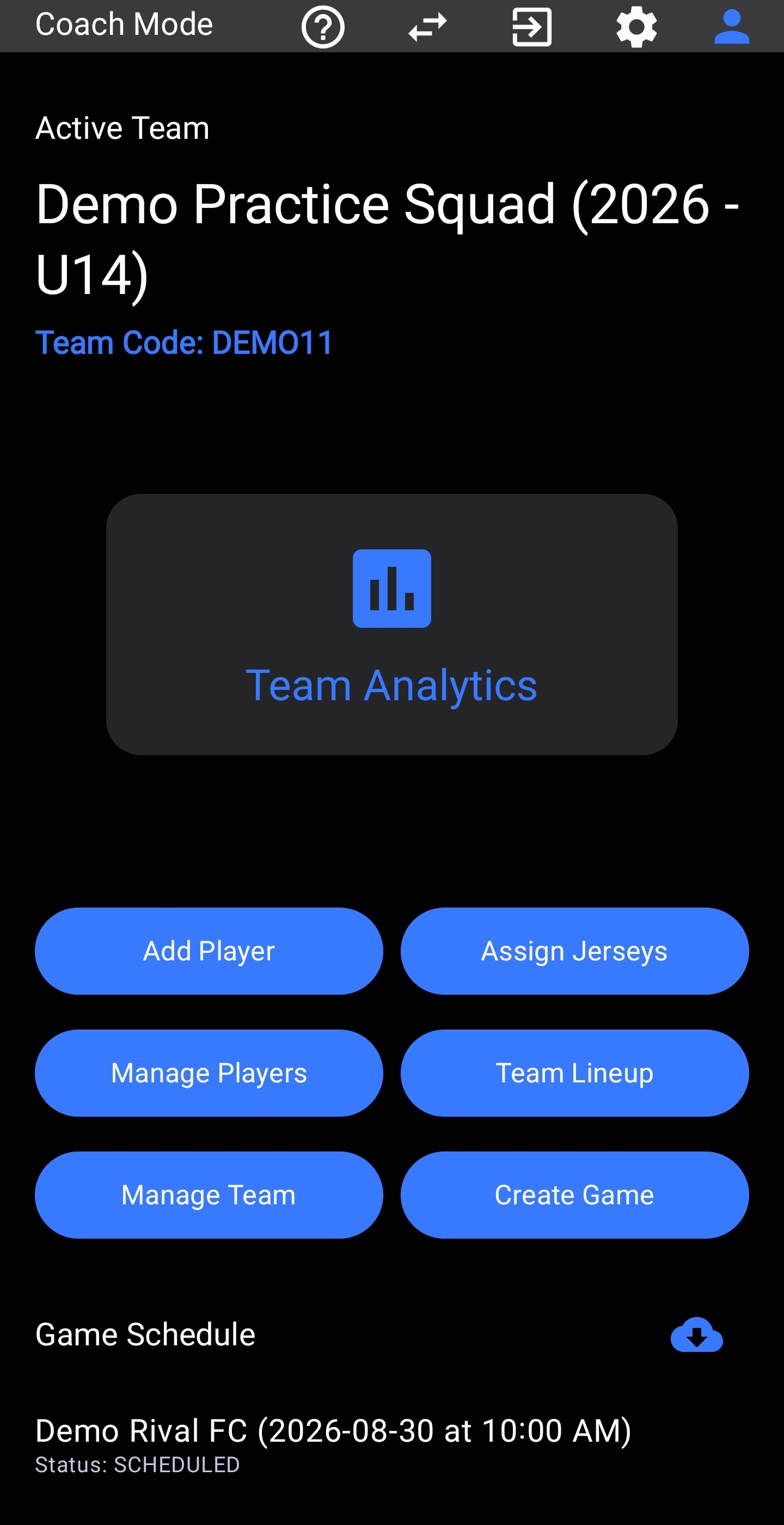
Welcome to 11Kits. When you register as a coach, your account is pre-provisioned with a local Demo Practice Squad. This allows you to explore the tactical match interface, vector tracking, and post-match analytics immediately without manually entering a roster first.
1. Global Top Bar & Navigation Reference
The persistent top header gives you instant control over roles, settings, and documentation across all screens:
2. Exploring the Demo Sandbox Squad
Your local app comes pre-loaded with Demo Practice Squad (2026 - U14), containing 15 placeholder players (Player A through Player O) and an active scheduled game against Demo Rival FC.
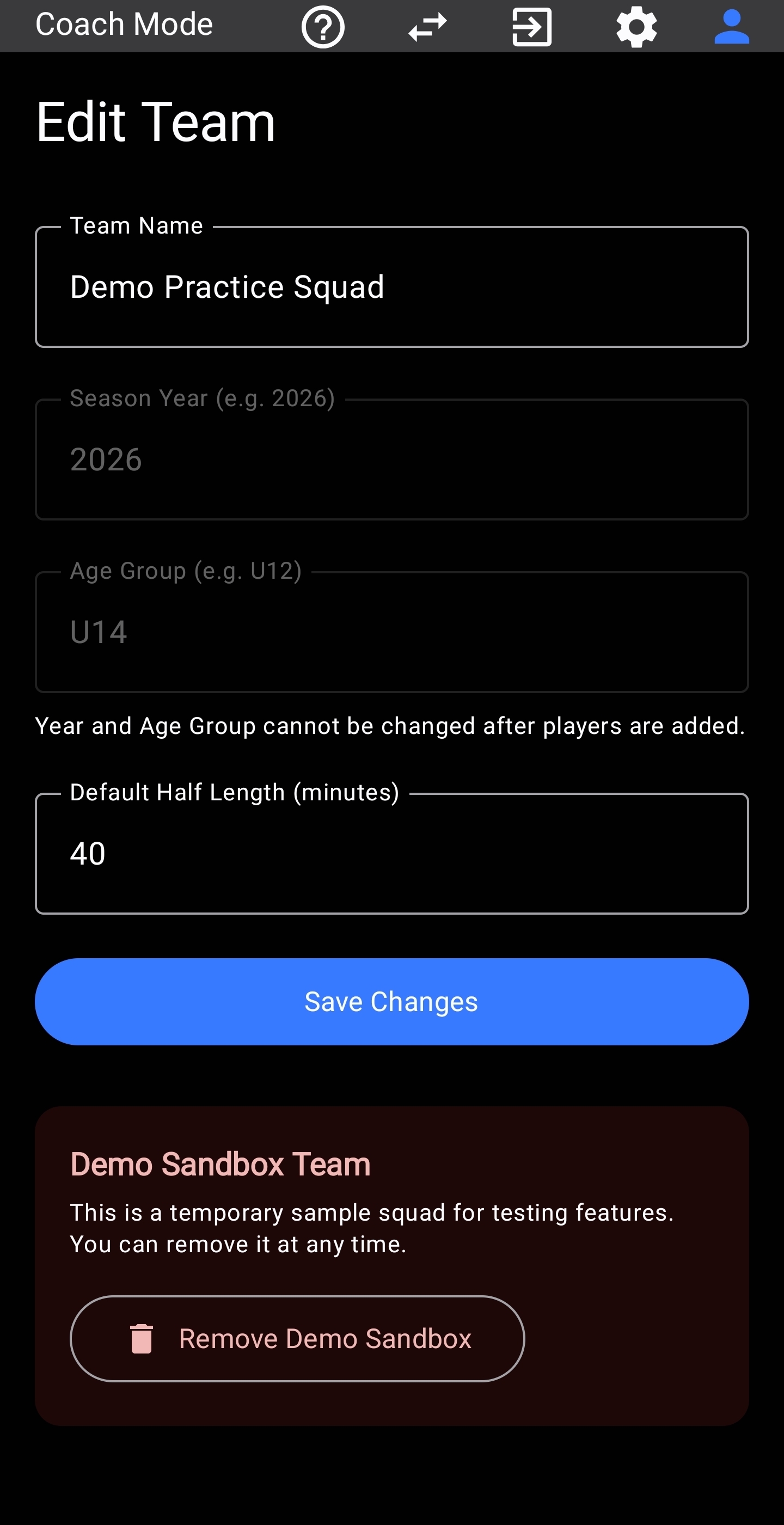
- Strict Local Isolation: Sandbox data is strictly isolated on your device. Any test passes, clock starts, or tackles you record will never sync to AWS servers or impact real match metrics.
- Full Feature Testing: You can edit formations, test substitution rotations, and draw passing vectors as if running a real matchday.
- Clean Removal: When you are ready to enter your real team roster, navigate to Manage Teams → Edit and tap Remove Demo Sandbox. This completely wipes all placeholder records from your device.
3. Match Preparation & Live Tracking
Tap your scheduled demo match to open the match preparation console:
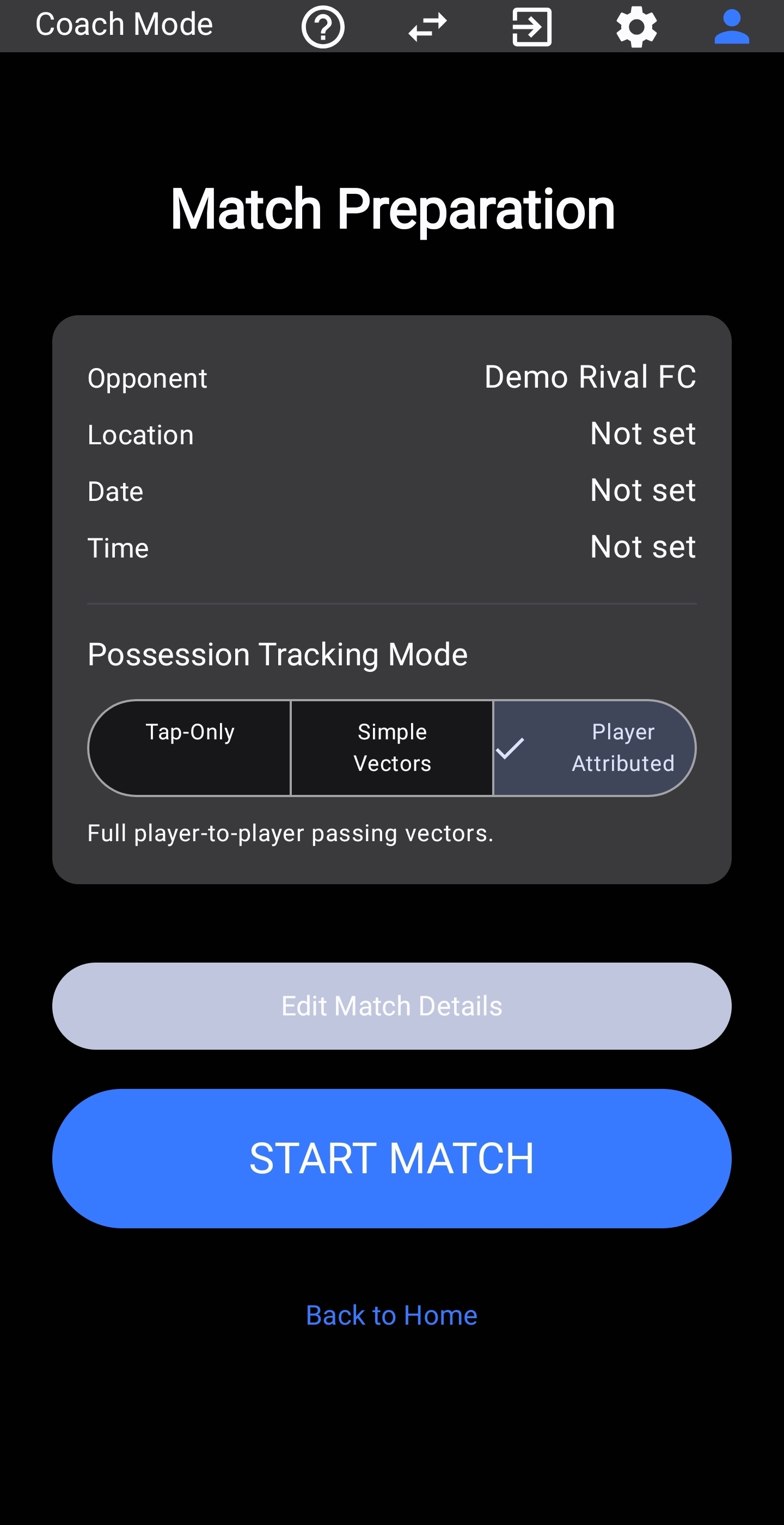
- Select Tracking Fidelity: Choose between Tap-Only (simple point taps), Simple Vectors (team-level possession arrows), or Player Attributed (full player-to-player passing networks).
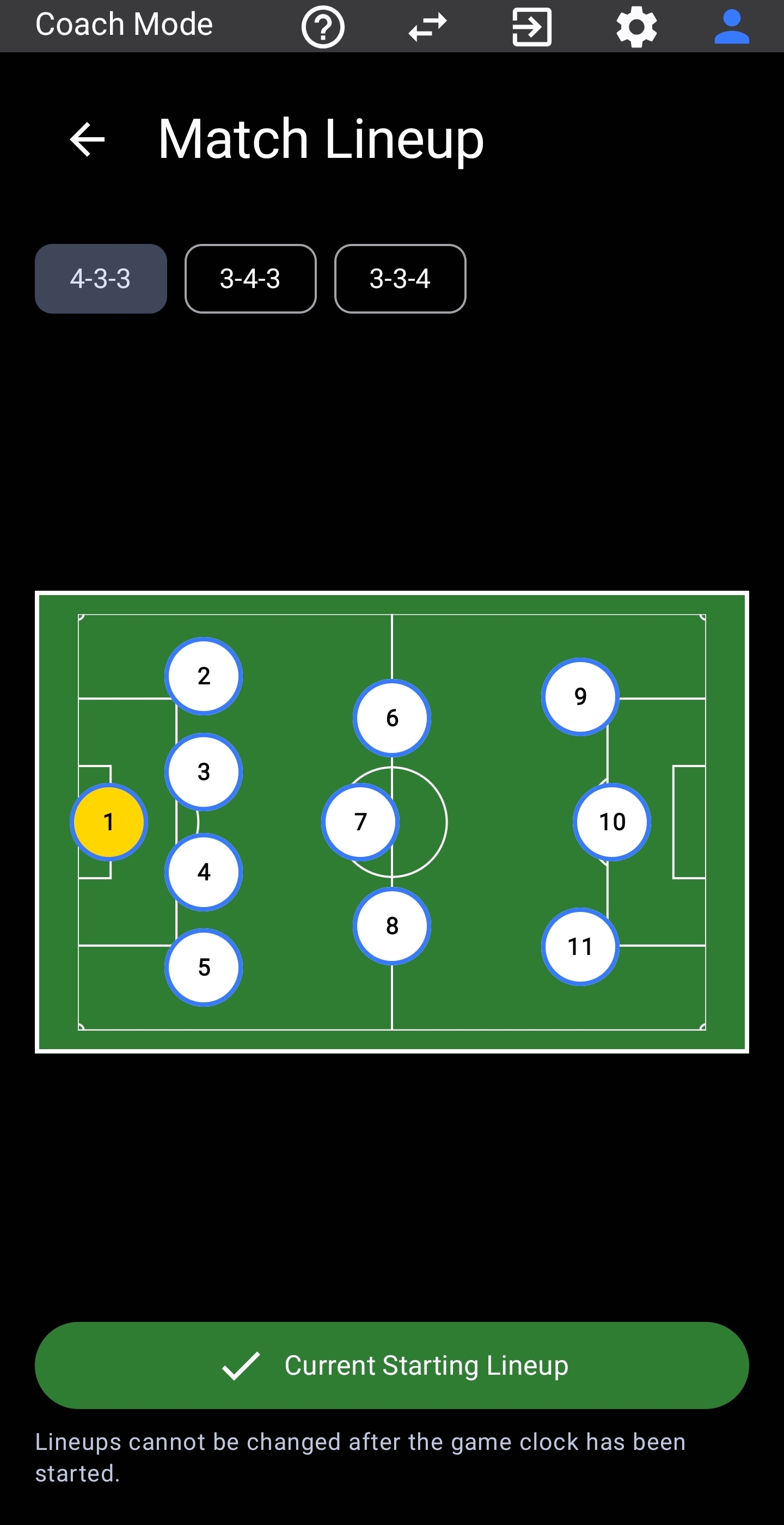
- Verify Starting Lineup: Confirm your 11 starting players on the pitch canvas. You can toggle formations between 4-3-3, 3-4-3, or 3-3-4 before starting the game clock.
- Launch the Live Sideline Console: Tap START MATCH to open the live pitch interface.
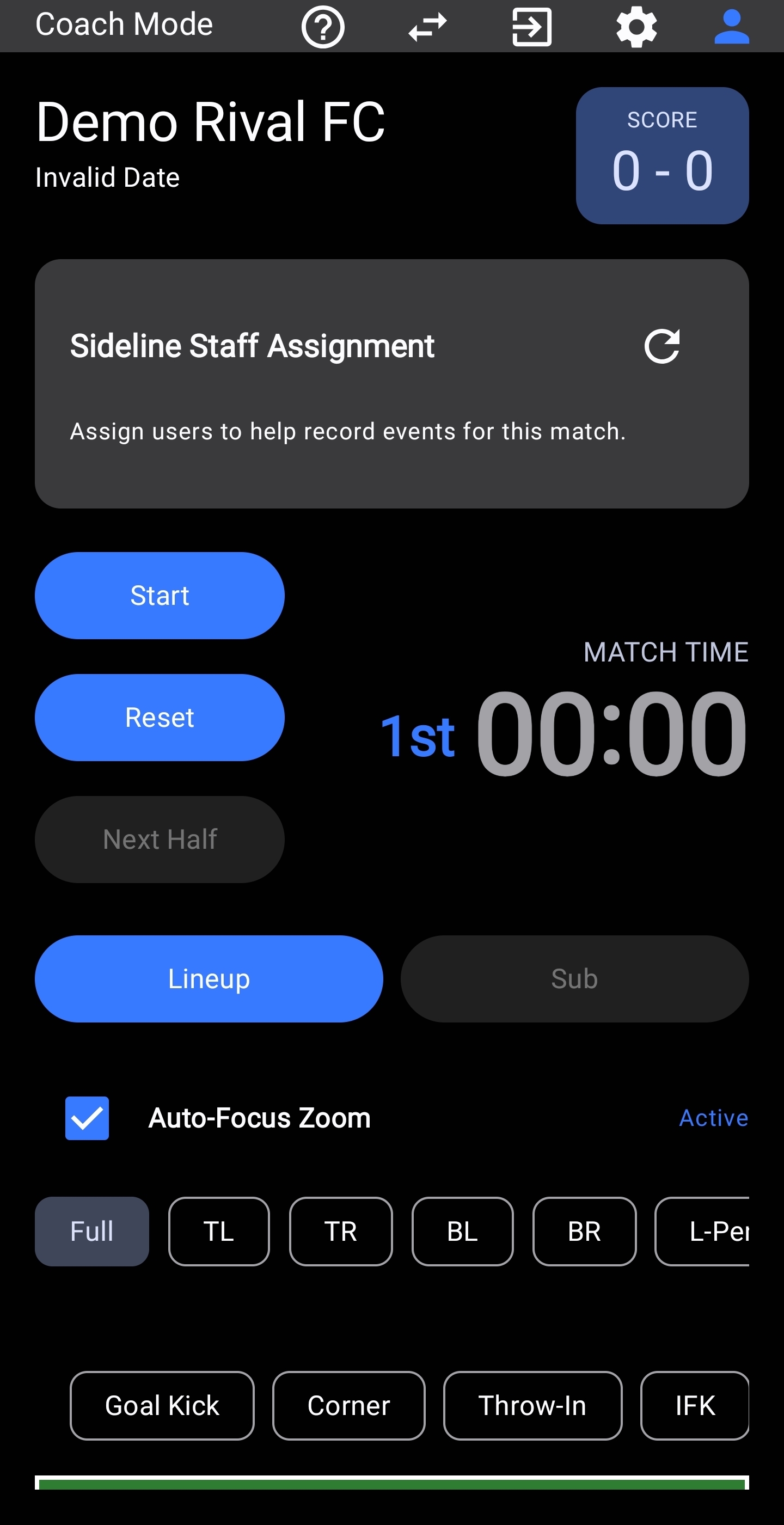
Live Sideline Capabilities
- Timekeeping Controls: Start, pause, or reset regulation and stoppage time.
- Sideline Staff Delegation: Assign parent volunteers to log stats simultaneously from their own devices.
- Set-Piece Priming: One-touch priming toolbar for instant logging of Goal Kicks, Corners, Throw-ins, and Free Kicks.
- Vector Passing: Drag across the pitch to record passes, completed deliveries, or turnovers.
4. Post-Match Analytics & Tactical Insights
After completing matches, navigate to the Analytics Hub to review tactical trends and generate single-page PDF match dossiers:
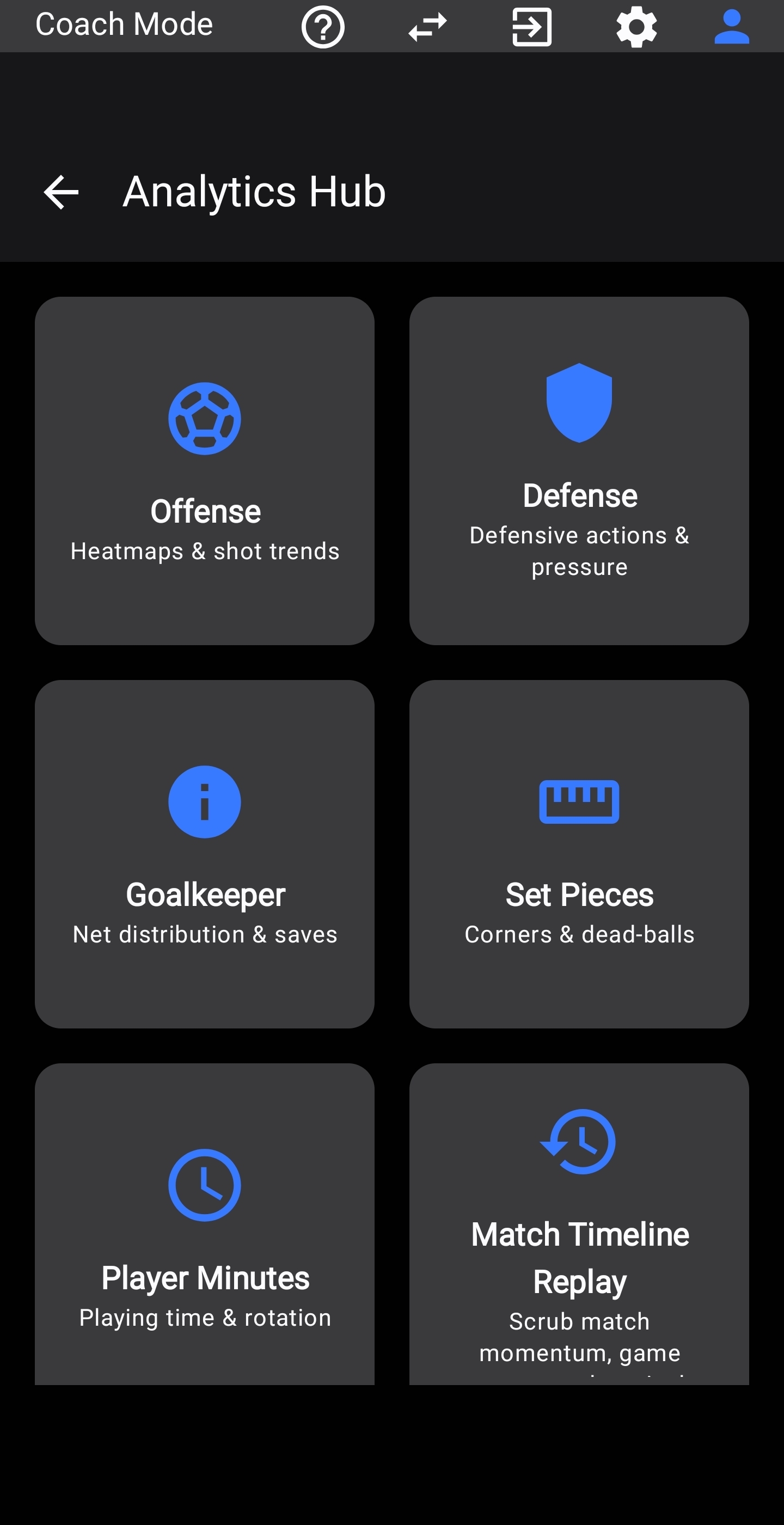
- Offense: Spatial shot distributions, conversion heatmaps, penalty-box entries, and progressive pass completion matrices.
- Defense: Opponent shot suppression, clean sheet rates, tackle success percentages, and high-press turnover recovery zones.
- Goalkeeper: Goal-mouth save placement, post-shot location tracking, and net distribution efficiency.
- Set Pieces: Corner kick delivery trajectories, goal kick retention rates, throw-in success, and direct free-kick conversions.
- Player Minutes: Dynamic on-pitch playing time accumulation, substitution tracking, and sortable squad rotation tables.
- Match Timeline Replay: Chronological momentum scrubbing, animated possession build-up chains, and rolling 10-minute window playback.
- Reports & Exports (not pictured): One-touch generation of 100% offline, printable single-page PDF match dossiers, squad rotation minutes sheets, and exportable tactical diagrams.
5. Privacy, COPPA Compliance & Data Control
11Kits is built with privacy-by-design for youth sports. Under Settings → Danger Zone, you maintain complete ownership of your data:
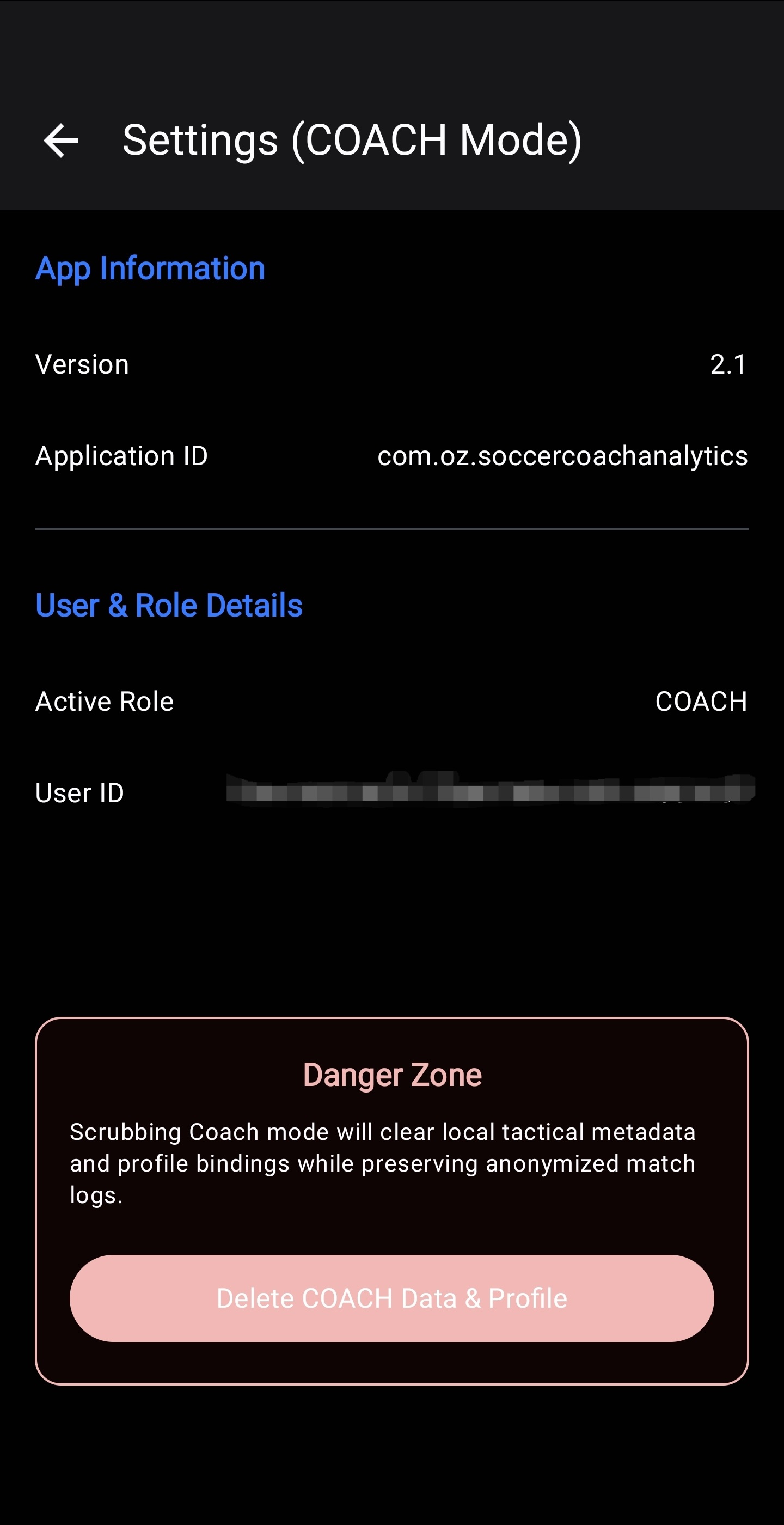
Personal Identifiable Information (PII) like names and emails are never combined into un-anonymized public sets.